

Orders shouldn’t disappear into thin air—but in many hotels, they still do. A guest places an order from their room, but the kitchen never receives it. Or worse, the restaurant serves a guest, and the billing team later discovers the charges were never added to the right room. These aren’t rare problems—they’re daily headaches in properties where hotel departments don’t speak the same digital language.
That’s where Hotlr steps in. With seamless KOT sync and full hotel restaurant POS integration, it links every food order with room billing in real-time. The result is fewer errors, smoother communication, and happier guests. More importantly, restaurant order sync ensures nothing slips through the cracks.
Let’s break down the old way of doing things, explore how syncing works, and look at why this simple upgrade changes everything.
The Old Way: Disconnected and Confusing
Many small and mid-size hotels in India still rely on manual systems to manage restaurant orders. Here’s how that often looks in reality:
- Orders are written on paper or handed over verbally
- KOT slips may get lost or delayed
- Front desk staff struggle to collect food bills during checkout
- Room numbers are recorded incorrectly
- Items sometimes go unbilled altogether
These mix-ups lead to lost revenue and frustrated guests. Even worse, when guests notice confusion during checkout, it undercuts their entire stay—regardless of how good the food or service was. The reputation damage alone is reason enough to rethink the process. Adopting restaurant order sync significantly reduces these costly lapses.
How KOT Sync Works with Hotlr
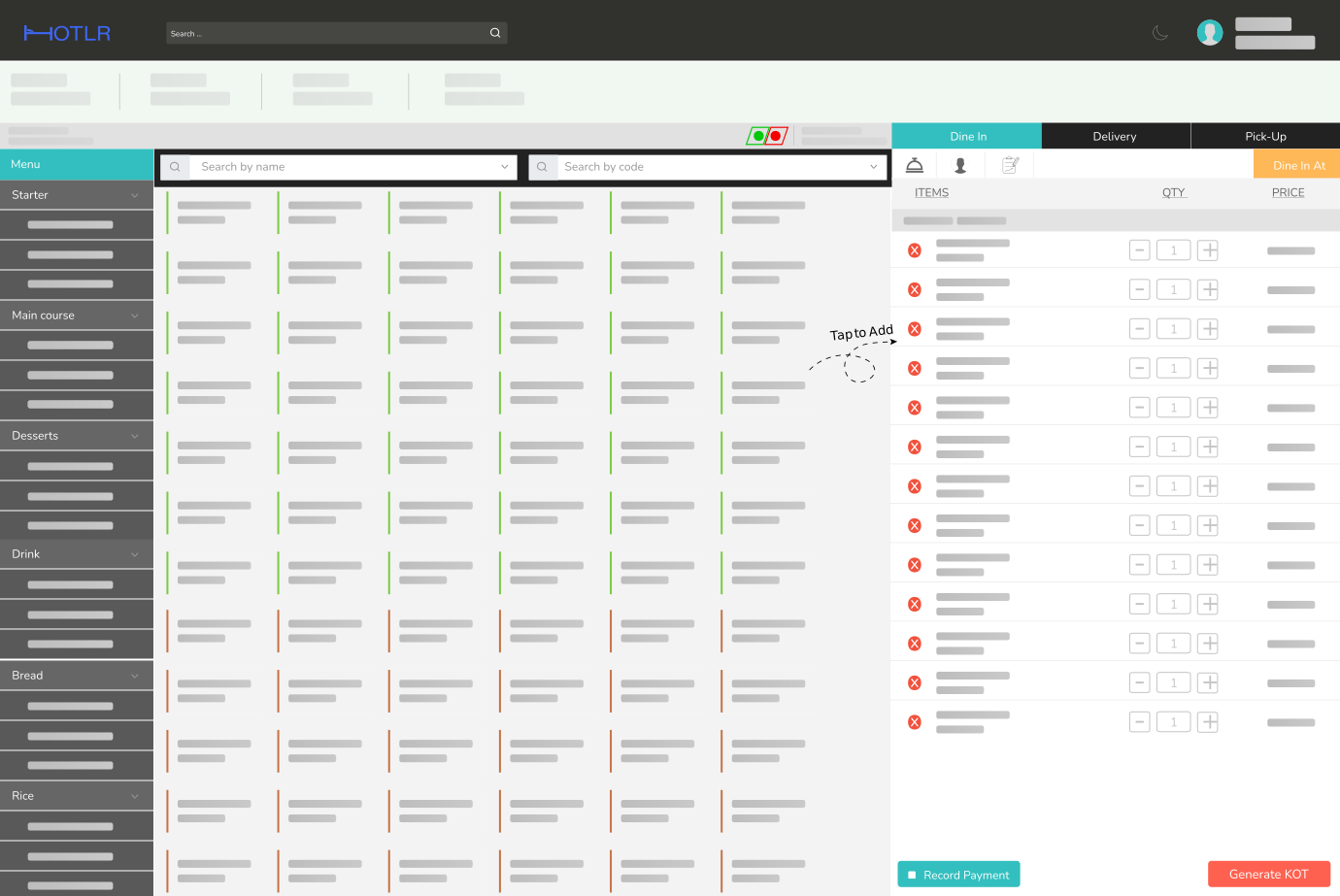
Hotlr replaces disconnected systems with real-time integration. Here’s how it works from the moment an order is placed:
- The staff selects the room or table within Hotlr’s hotel restaurant POS
- A digital Kitchen Order Ticket (KOT sync) is generated instantly
- The kitchen receives the order immediately
- The guest’s room ledger is updated in real time.
- The front desk, billing, and housekeeping are notified automatically
- At checkout, a consolidated invoice includes all room and dining charges
There’s no need to track orders separately or run around collecting slips. Everything is connected and updated live—ensuring accurate billing and a seamless guest experience through complete restaurant order sync.
Benefits for Kitchen and Guests
When your POS is synced with the KOT sync system, both staff and guests see the difference.
For Kitchen Staff:
- Orders are time-stamped and clearly assigned to rooms or tables
- No manual handoffs or verbal instructions
- Faster food prep and fewer mistakes
- Ingredient-level tracking helps control raw material usage
- Better organization leads to more consistent food delivery
For Guests:
- No need to repeat their room number with every order
- Faster service and accurate billing
- All charges appear transparently during checkout
- No awkward disputes or missing charges
By simplifying communication between front-of-house and back-of-house, you improve efficiency, reduce wastage, and boost satisfaction. A reliable hotel restaurant POS ensures all departments stay aligned.
Dining Use Cases That Show the Value
Whether you’re running a 10-room homestay or a multi-floor property with multiple kitchens, synced hotel restaurant POS brings instant value.
Room Service Orders:
When a guest in Room 303 places a breakfast order, the kitchen receives it instantly. The order is auto-tagged to Room 303, and the charge appears in the guest’s billing account. No follow-ups needed thanks to restaurant order sync.
Banquet Bookings:
All food and beverage orders placed during an event are logged under a single master bill. No need to manually split or add charges after the event.
Dine-In Guests Who Are Also Staying:
If a guest staying in Room 407 dines at the restaurant, the server can tag their room to the POS order. The charge gets synced instantly with KOT sync, without requiring extra approval.
Tables Without Orders:
Hotlr’s system tracks real-time table activity. If a table has no order for a set time, it’s flagged as idle. This helps managers free up valuable space or prompt follow-up.
Multiple Outlets:
If your property has a bar, rooftop lounge, and restaurant, Hotlr allows each to function independently while syncing all charges to the same guest account. It’s restaurant order sync made scalable.
A Staff Perspective: Fewer Errors, More Confidence
Efficient systems don’t just help guests—they help teams too. Hotel staff using Hotlr often notice:
- Less manual work and fewer billing disputes
- Faster checkout process
- Improved coordination across departments
- Easier training with a user-friendly interface
- Higher job satisfaction due to reduced stress
Because Hotlr’s interface is intuitive and built with hotels in mind, there’s no steep learning curve. Even if your staff isn’t tech-savvy, they can adapt quickly and confidently.
Plus, with features like real-time table monitoring, room capping, KOT sync, and GST-ready billing, Hotlr goes beyond dining. It acts as a complete operational system tailored for the Indian hospitality market.
Final Thoughts: Don’t Let Food Orders Break the Flow
Food is one of the most memorable parts of a hotel stay. But if guests face delays or billing issues, even the best dishes won’t leave a good impression. The solution lies in syncing your restaurant operations with your hotel billing and room management system.
With Hotlr’s hotel restaurant POS and KOT sync:
- Every order is accurately recorded
- Real-time updates reduce communication gaps
- Staff spend less time fixing mistakes
- Guests enjoy faster, clearer billing
- Kitchens operate more efficiently
Whether you’re managing a boutique hotel in Goa or a business property in Indore, Hotlr helps you provide a consistent, high-quality experience through seamless restaurant order sync.

Comments are closed